
ISIS Application Documentation
overlapstats | Standard View | TOC | Home |
Calculates the statistics of overlapping cube regions
Description
Categories
Groups
Examples
History
Description
This application takes a list of cubes and an image overlap list file from the output of findimageoverlaps and calculates statistics on all overlapping polygons of the provided images, writing the results to an output file. The statistics generated by this application may provide useful information for choosing parameters for the autoseed application. Images must be ingested into ISIS and have spiceinit, footprintinit, and findimageoverlaps run to produce the input for this application.
Statistics for the area, polygon thickness, and image stack size of the polygons are calculated. These statistics include minimum, maximum, average, standard deviation, and variance. Area refers to the area of the polygon in square meters. Image stack is the number of images that overlap for a given overlap region.
If there are any cubes within the list that do not overlap with any other cube in the list, those cube's filenames are included at the end of the output in the NoOverlap PVL keyword.
Categories
Parameter Groups
Input Files
| Name | Description |
|---|---|
| FROMLIST | The list of input cubes |
| OVERLAPLIST | The list of image overlaps corresponding to the list of input cubes |
Output
| Name | Description |
|---|---|
| DETAIL | Option to choose beetween brief and full output of statistics. |
| TO | FULL output filename |
| TABLETYPE | Data format of output file |
| SINGLELINE | Place all cube serial numbers on the same CVS line |
| ERRORS | Output errors file |
Input Files: FROMLIST
Description
The filename of a list of input cubes. This list should be the same as the list used by findimageoverlaps.
| Type | filename |
|---|---|
| File Mode | input |
| Filter | *.lis |
Input Files: OVERLAPLIST
Description
The filename of the image overlap list. You can obtain this file by running the findimageoverlaps application on the list of input cubes.
| Type | filename |
|---|---|
| File Mode | input |
| Filter | * |
Output: DETAIL
Description
Determines how much detail is given in the output.
| Type | string | |||||||||
|---|---|---|---|---|---|---|---|---|---|---|
| Default | BRIEF | |||||||||
| Option List: |
|
Output: TO
Description
The filename of the output file to contain the detailed stats of each overlap.
| Type | filename |
|---|---|
| File Mode | output |
Output: TABLETYPE
Description
The output table written to the file specified by the TO option will be formatted in accordance with the following option.
| Type | string | |||||||||
|---|---|---|---|---|---|---|---|---|---|---|
| Default | CSV | |||||||||
| Option List: |
|
Output: SINGLELINE
Description
Places all cube serial numbers and filenames on the same line in the output file. When False, Serial Numbers and Filenames are placed in columns for better human readability. This option is only available when the output is in CSV format.
| Type | boolean |
|---|---|
| Default | TRUE |
Output: ERRORS
Description
This file will contain the errors that occurred while calculating the overlap statistics. Each line will contain the error message followed by the serial number(s) of the cube(s) involved.
| Type | filename |
|---|---|
| File Mode | output |
| Internal Default | No Error Output |
Examples
Example 1
Overlapping Statistics
Description
Command Line
Input Images
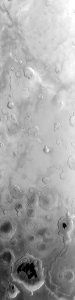
cube1.cub
|
First image This is the first input image for overlapstats to use |
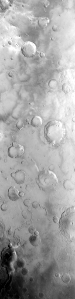
cube2.cub
|
Second image This is the second input image |
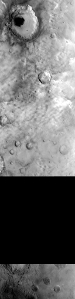
cube3.cub
|
Third image This is the third input image |

Overlapping Images
|
Overlap Visualization This is not an input to the application, but it shows a visual representation of the overlapping regions of the three cubes. In this image, there are two overlapping regions. |
Data Files
| The list of cubes to use | This is the input list of cubes used to create the overlap list which the statistics will be run on. |
|---|---|
| The file containing image overlap information | This is the file that contains information about the image overlaps. It can be obtained from the findimageoverlaps application. |
| The resulting stats file | The FULL output of overlapstats will be displayed and written to the filename provided in the TO option. You will notice that there are two different overlaps, which correspond with the two overlaps present in the overlap visualization image (see below). |
History
| Christopher Austin | 2008-09-30 | Original version |
| Christopher Austin | 2008-10-28 | Fixed the formatting for a tab tabletype, improved documentation, and added an example. |
| Christopher Austin | 2008-11-10 | The output file TO must now be specified. |
| Steven Lambright | 2008-11-17 | Added support for image overlap files, which is what "OVERLAPLIST" needs to be. This is a required parameter obtained from running "findimageoverlaps." |
| Christopher Austin | 2008-10-28 | Added error throwing when there are no overlaps among the cubes provided and other small bug fixes. |
| Christopher Austin | 2009-01-26 | Added the ERRORS flat file. |
| Christopher Austin | 2009-02-17 | Added the DETAILS FULL output option. BRIEF is now what the application use to result in. |
| Christopher Austin | 2009-03-05 | Altered the DETAILS FULL and BRIEF options based off of user input. Now, the statistical data will always be placed in the print.prt file, and the TO file will only be used for the detailed output of the overlaps. |
| Christopher Austin | 2009-06-05 | Added the SINGLELINE parameter and changed the keywords SerialNumber* to ImageStack* |
| Christopher Austin | 2009-06-08 | Removed the *Sum keywords from the BRIEF output, and added PolygonCount. |
| Jai Rideout | 2011-09-26 | Updated and rewrote much of the existing documentation with Raad Saleh and Laszlo Kestay to match the current behavior of the application, as well as clarify the purpose of the application. |
| Jai Rideout | 2011-12-26 | Added check to ensure the provided cube list is the same one used in findimageoverlaps (i.e. the serial numbers in the overlap list match the serial numbers in the provided cube list). Fixes #515. |
| Jai Rideout | 2012-01-18 | The errors file now contains a newline at the end. The error count is now calculated regardless of whether or not the ERRORS parameter was specified. |
| Debbie A. Cook | 2012-12-10 | Changed to use TProjection instead of Projection. References #775 |
| Jeannie Backer | 2016-04-22 | Modified code to get TargetRadii using the cube label and mapping group rather than just the TargetName. Added TargetName keyword to Mapping group. References #3892 |