
ISIS Application Documentation
pointreg | Standard View | TOC | Home |
Automatically register control measures to their point's reference
Description
Categories
Groups
Examples
History
Description
The main purpose of "pointreg" is to apply a chosen pattern matching algorithm (DEFFILE) to subpixel (or, less commonly, whole pixel) register individual control point coordinates (measures) that have been collected between images and stored within an input control network.
"Pointreg" requires that for every serial number (SN) that exists in the input control network, there is an existing cube file and its associated filename is included within the input list (FROMLIST).
Most often the input control point network (CNET) contains A priori sample and line positions based on the original SPICE of the images. For creating an initial control network, refer to applications such as "autoseed", "seedgrid" and/or "qnet".
Due to many factors, often including inaccuracies with the camera pointing, the control point's initial measure coordinates between images are not registered to one another with subpixel -- or even whole pixel -- accuracy.
The input control network contains certain fields that are evaluated by "pointreg" (POINTS, MEASURES) in order to know whether or not to work on a control point and the associated measures. "Pointreg" in turn adds or updates fields in the output control network that reflect the successes and failures of the pattern matching for each measure.
For every control point within the input network, there are control measures. For each control point there is always one and only one associated reference measure, either set explicitly or chosen at runtime implicitly. Explicit references are chosen and defined as such either manually by users ("qnet") or automatically with an interest operator ("cnetref"). Implicit references are determined when no explicit reference is set for a point. In such a case, the control point will provide its first valid (Ignore=False) measure to act as the reference.
Once "pointreg" has a reference measure for a point, it attempts to every other measure in the point to that reference location. An implicit reference will then be made explicit, and if any of the registrations succeed, the reference will also be made valid.
With every successful subpixel registration for each control measure, the sample and line values within the output control network are updated with the resulting subpixel coordinates. Note that the reference measure coordinates are "fixed" while the coordinates of the remaining measures are adjusted based on the pattern matching output. The a priori sample and line fields are assigned the original starting input pixel coordinates. Applications such as "qnet", will report the sample and line shift as a result of "pointreg". "Pointreg" will also update the control network with the pattern match coefficient results such as minimum and maximum "pixel z-score" and "goodness of fit".
With every failed subpixel registration for each control measure, the non-reference measure is set to ignored (Ignore=True). If all the measures within a control point are ignored (Ignore=True), then the entire control point is set to ignored (Ignore=True) at the control point level.
Categories
Related Objects and Documents
Applications
Documents
Parameter Groups
Input
| Name | Description |
|---|---|
| FROMLIST | Input cube file list |
| CNET | Input control network |
| DEFFILE | Automatic registration definition file |
Output
| Name | Description |
|---|---|
| ONET | Output control network |
| FLATFILE | Comma-separated text file of pointreg output information |
| OUTPUTIGNORED | Keep "ignored" control points |
| OUTPUTFAILED | Keep control measures after failing registration |
WhatToRegister
| Name | Description |
|---|---|
| POINTS | How to handle "ignored" points |
| MEASURES | Which types of measures should be processed |
Validation
| Name | Description |
|---|---|
| VALIDATE | Whether to perform validation, and if so, when |
| REVERT | Revert false positives back to original values |
| SEARCH | How many pixels to expand the pattern chip for validation |
| RESTOLERANCE | Maximum allowed difference in resolution for validating a registration |
| SHIFT | The maximum number of pixels a valid registration can shift |
| FALSEPOSITIVES | Comma-separated text file of false positive information |
Input: FROMLIST
Description
This file contains a list of cube filenames (one per line), each mapping to the serial number of one of the control measures that is to be used in registration. For every control measure that will be registered or used as a reference during registration, its serial number must have an associated cube in this list.
| Type | filename |
|---|---|
| File Mode | input |
| Filter | *.txt *.lis *.lst *.list |
Input: CNET
Description
This file contains the initial control network whose points are to be registered.
| Type | filename |
|---|---|
| File Mode | input |
| Filter | *.net |
Input: DEFFILE
Description
This PVL file contains all the user-specified options for performing automatic registration on the points in the network. The default "template" definition file contains all the keywords AutoReg will accept set to their default values, or common example values where defaults do not exist. For an in-depth discussion of all the options available to the user in this definition file, please see the Pattern Matching guide referenced above.
| Type | filename |
|---|---|
| File Mode | input |
| Filter | *.def |
Output: ONET
Description
This is the output control network containing all the newly-registered points in addition to anything left unchanged from the input network.
| Type | filename |
|---|---|
| File Mode | output |
| Filter | *.net |
Output: FLATFILE
Description
This file will contain data collected from the pointreg application. The data will be comma-separated and contain a line for each measurement of all non-ignored points in the output control net. This will include the point id, orignal sample position, original line position, new sample position, new line position, sample difference, line difference, minimum z-score, maximum z-score, and goodness of fit.
| Type | filename |
|---|---|
| File Mode | output |
| Internal Default | None |
| Filter | *.txt *.csv |
Output: OUTPUTIGNORED
Description
By enabling this option, any point that is "ignored" in the input network will be removed in the output network. If the user specifies with the POINTS option that they only want to register NONIGNORED points, then any ignored point will be immediately removed with this option enabled. After registration is complete, if a point has less than 2 valid measures, and is not a "fixed" point, then it will be set to ignored, and with this option enabled, removed from the output.
| Type | boolean |
|---|---|
| Default | True |
Output: OUTPUTFAILED
Description
When enabled, control measures that failed to register in the current run of "pointreg" will remain in the output control network.
| Type | boolean |
|---|---|
| Default | True |
WhatToRegister: POINTS
Description
If this parameter is set to IGNORED, ignored points will be reprocessed. It may set them to "valid" if they are acceptable in a new tolerance range. If this parameter is set to the default value of NOTIGNORED, only the "valid" or "non-ignored" points will be registered. Otherwise, if it is set to ALL, every point will be registered. Note that if certain Control Points will not be processed, it implies that all their measures will not be processed as well.
| Type | string | ||||||||||||
|---|---|---|---|---|---|---|---|---|---|---|---|---|---|
| Default | NONIGNORED | ||||||||||||
| Option List: |
|
WhatToRegister: MEASURES
Description
If this parameter is set to CANDIDATES, only measures that have not been successfully registered by a prior run of the "pointreg" application will be processed. However, if this parameter is set to its default of ALL, every measure -- including those that have been run through "pointreg" successfully, and those that were manually selected -- will be processed. A measure is considered a "candidate" if it has never been run through "pointreg" before, or if it was unsuccessfully registed in a previous run.
| Type | string | |||||||||
|---|---|---|---|---|---|---|---|---|---|---|
| Default | ALL | |||||||||
| Option List: |
|
Validation: VALIDATE
Description
Validating the control network attempts to weed out false positive registrations based on a series of tests. When a measure fails a given test, its type will be set to CANDIDATE, its line and sample will be reset to their apriori values, and its log data will be removed. Depending on the tests selected, validation can more than double the runtime of the registration process. As such, it is disabled (VALIDATE=SKIP) by default. By selecting the AFTER option, validation will occur immediately after registration using the same definition file and control network. However, the user can also choose to skip registration and only validate the input network by selecting the ONLY option.
| Type | string | ||||||||||||
|---|---|---|---|---|---|---|---|---|---|---|---|---|---|
| Default | SKIP | ||||||||||||
| Option List: |
|
Validation: REVERT
Description
Enabling this option causes the program to revert every measure it considers to be falsely registered back to its values prior to registration. This includes the line/sample, type, and log data of the measure. If this option is disabled, the user must enter a file to log the results for the FALSEPOSITIVES parameter.
| Type | boolean |
|---|---|
| Default | True |
Validation: SEARCH
Description
During the validation process, a much smaller search window can be used than the SearchChip from registration, as ideally, the measure position should move very little (if at all) if it is to be considered a valid registration. By default, the search window will be the PatternChip expanded by the number of pixels specified by the WindowSize parameter on each side (from the definition file, defaults to 5).
| Type | integer |
|---|---|
| Internal Default | WindowSize |
Validation: RESTOLERANCE
Description
Differences in image resolution can often lead to poor registrations. Because validation is itself a registration process, it can also lead to poor validations. When considering a registration to be validated, if the two measurements differ in image resolution by more than this tolerance (in meters per pixel), then the validation will be skipped. By default, this value is set to 5.0 meters per pixel.
Note that skipped registrations will be reported to the FALSEPOSITIVES report, but will not be reverted when the REVERT option is enabled.
| Type | double |
|---|---|
| Default | 5.0 |
Validation: SHIFT
Description
All validation tests involve registering different combinations of measures besides candidate-to-reference. Consequently, the measure positions are likely to shift slightly from their previous registrations. Ideally, there should be no shift if the two measures being examined are perfectly registered. The more the measures shift from their previous registrations, the more likely the registrations are false positives. This paraneter allows the user to specify a tolerance for how much a measure position can shift (in pixels) before the registration is considered invalid.
It should be noted that any shifting of measures that occurs during validation is for testing purposes only. The previous registration will never be overridden by the results of these tests.
| Type | double |
|---|---|
| Default | 1.0 |
Validation: FALSEPOSITIVES
Description
This file will contain a line for every registration that is determined to be a false positive. This line will include the measure serial number, reasons why it originally succeeded, reasons why it was considered a false positive, and the test that declared it as such.
| Type | filename |
|---|---|
| File Mode | output |
| Internal Default | None |
| Filter | *.txt *.csv |
Examples
Example 1
Default registration settings include ignored and unmeasured points in the output control net.
Description
Command Line
GUI Screenshot
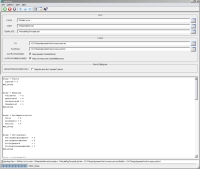
pointreg GUI
|
Example GUI Screen shot of GUI with parameters filled in to perform point registration that includes ignored control points and unmeasured control measures in the output but does not register the ignore points. |
Data Files
| View Input File List | Input text file containing a list of all files in the control network. All cubes in this list should be located in the same directory that the application is run in. |
|---|---|
| View Entire Input ControlNet | Input text file containing the initial control network. There are 10 control points, one is passed in as an ignored point and two are unmeasured. |
| View Auto Registration Template | Input auto registration template file in PVL format containing the registration algorithm information to be used to register the points. |
| View resulting ControlNet | Output control network file containing the registered information. Notice that all ignored points and unmeasured control measures are kept in this network. |
| View resulting flat file | Output flat file containing the data collected from the pointreg application. |
| View resulting application log. | This log is output to the screeen and contains a count of the following: "ignore" points upon completion; validated, registered, unregistered and unmeasured ControlMeasures; successful and failed registrations; PatternChip and SurfaceModel statistics. |
Example 2
Register "ignored" points in a control network and include ignored and unmeasured points in the output control net.
Description
Command Line
GUI Screenshot
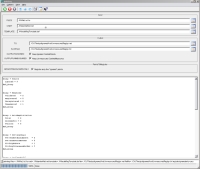
pointreg GUI
|
Example GUI Screen shot of GUI with parameters filled in to perform ignored point registration that includes ignored control points and unmeasured control measures in the output but does not register the "valid" points. |
Data Files
| View Input File List | Input text file containing a list of all files in the control network. All cubes in this list should be located in the same directory that the application is run in. |
|---|---|
| View Entire Input ControlNet | Input text file containing the initial control network. There are 10 control points, one is passed in as an ignored point and two are unmeasured. |
| View Auto Registration Template | Input auto registration template file in PVL format containing the registration algorithm information to be used to register the points. |
| View resulting ControlNet | Output control network file containing the registered information. Notice that all ignored points and unmeasured control measures are kept in this network. |
| View resulting flat file | Output flat file containing the data collected from the pointreg application. |
| View resulting application log. | This log is output to the screeen and contains a count of the following: "ignore" points upon completion; validated, registered, unregistered and unmeasured ControlMeasures; successful and failed registrations; PatternChip and SurfaceModel statistics. |
Example 3
Register "valid" points in a control network and omit ignored points and unmeasured measures from the output control net.
Description
Command Line
GUI Screenshot
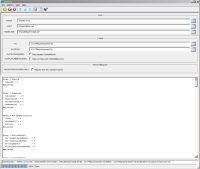
pointreg GUI
|
Example GUI Screen shot of GUI with parameters filled in to perform point registration that omits ignored control points and unmeasured control measures from the output. |
Data Files
| View Input File List | Input text file containing a list of all files in the control network. All cubes in this list should be located in the same directory that the application is run in. |
|---|---|
| View Entire Input ControlNet | Input text file containing the initial control network. There are 10 control points, one is passed in as an ignored point and two are unmeasured. |
| View Auto Registration Template | Input auto registration template file in PVL format containing the registration algorithm information to be used to register the points. |
| View resulting ControlNet | Output control network file containing the registered information. Notice that all ignored points and unmeasured control measures are omitted from this network. |
| View resulting flat file | Output flat file containing the data collected from the pointreg application. |
| View resulting application log. | This log is output to the screeen and contains a count of the following: "ignore" points upon completion; validated, registered, unregistered and unmeasured ControlMeasures; successful and failed registrations; PatternChip and SurfaceModel statistics. |
Example 4
Register "ignored" points in a control network and omit ignored and unmeasured points in the output control net.
Description
Command Line
GUI Screenshot
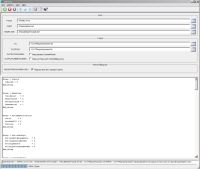
pointreg GUI
|
Example GUI Screen shot of GUI with parameters filled in to perform ignored point registration that omits ignored control points and unmeasured control measures from the output. |
Data Files
| View Input File List | Input text file containing a list of all files in the control network. All cubes in this list should be located in the same directory that the application is run in. |
|---|---|
| View Entire Input ControlNet | Input text file containing the initial control network. There are 10 control points, one is passed in as an ignored point and two are unmeasured. |
| View Auto Registration Template | Input auto registration template file in PVL format containing the registration algorithm information to be used to register the points. |
| View resulting ControlNet | Output control network file containing the registered information. Notice that all ignored points and unmeasured control measures are omitted from this network. |
| View resulting flat file | Output flat file containing the data collected from the pointreg application. |
| View resulting application log. | This log is output to the screeen and contains a count of the following: "ignore" points upon completion; validated, registered, unregistered and unmeasured ControlMeasures; successful and failed registrations; PatternChip and SurfaceModel statistics. |
Example 5
Register "new" measures in a control network only and leave previously processed as they are in the output control net.
Description
Command Line
GUI Screenshot
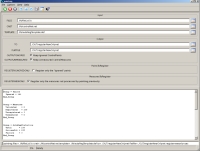
pointreg GUI
|
Example GUI Screen shot of GUI with parameters filled in to perform new measure registration only. |
Data Files
| View Input File List | Input text file containing a list of all files in the control network. All cubes in this list should be located in the same directory that the application is run in. |
|---|---|
| View Entire Input ControlNet | Input text file containing the initial control network. There are 10 control points, each with the first as reference, the second previously run through pointreg, and the third added with cnetadd. |
| View Auto Registration Template | Input auto registration template file in PVL format containing the registration algorithm information to be used to register the points. |
| View resulting ControlNet | Output control network file containing the registered information. Notice that all middle points have not been changed, but the third points have now been registered by pointreg. |
| View resulting flat file | Output flat file containing the data collected from the pointreg application. |
| View resulting application log. | This log is output to the screeen and contains a count of the following: "ignore" points upon completion; validated, registered, unregistered and unmeasured ControlMeasures; successful and failed registrations; PatternChip and SurfaceModel statistics. |
History
| Jacob Danton | 2006-01-11 | Original Version |
| Brendan George | 2006-10-02 | Modified call to get current time to use Time class, instead of Application class |
| Steven Lambright | 2007-07-23 | Fixed typos, changed category to Control Networks and removed example |
| Steven Lambright | 2008-06-23 | Fixed memory leak, progress, updated to work with AutoReg change |
| Steven Koechle | 2008-11-13 | Added option to process ignored points (new parameters PROCESSIGNORED and PROCESSVALID), Added FlatFile output parameter. Renamed IGNORED parameter to OUTPUTIGNORED Renamed UNMEASURED parameter to OUTPUTUNMEASURED. |
| Steven Koechle | 2008-11-13 | Fixed pointreg to modify ChooserName and DateTime of measures it alters |
| Jeannie Walldren | 2008-11-14 | Changed PROCESSIGNORED parameter name to REGISTERIGNOREDONLY. Removed PROCESSVALID parameter since "valid" points are only processed if REGISTERIGNOREDONLY is false. Changed extension filters for CNET, TEMPLATE and TO from (*.txt *.lis *.lst) to *.net, *.def, and *.net, respectively. Fixed bug in program so ignored control points only are included in the output when the OUTPUTIGNORED parameter is selected. And valid points are always included in the output. |
| Jeannie Walldren | 2008-11-17 | Added examples to xml file. Fixed bug so that, when registering ignored points, any unmeasured ControlMeasure is omitted if OUTPUTUNMEASURED=no. Added appTest cases for new parameters. |
| Steven Koechle | 2008-11-18 | Added PointId to the FlatFile output |
| Jeff Anderson | 2008-12-04 | Modified to allow control points to have measures which can't be registered to not be ignored. The point is not ignored so long as at least two measures can be registered. |
| Jeannie Walldren | 2008-12-22 | Modified to set successfully registered measures to Ignore=False and Ignore=True otherwise. |
| Jeannie Walldren | 2008-12-23 | Modified code that sets point's "Ignore" Keyword to "True" only if it is neither a ground point nor a held point. Modified app test truth files to reflect changes. |
| Jeannie Walldren | 2008-12-24 | Modified flatfile parameter to output the lines and samples of the original and registered measurements, rather than the original and reference measurements. Modified app test truth files to reflect changes. |
| Steven Lambright | 2009-02-13 | This program now uses CubeManager to more properly balance memory usage and run time. This program should run faster because it is leaving more cubes in memory instead of opening and closing them each time. |
| Travis Addair | 2009-08-10 | Auto registration parameters are now placed into the print file. |
| Jeannie Walldren | 2010-03-18 | Added REGISTERNEWONLY parameter to allow user to choose to keep previously registered points unchanged. If checked, this will only process new points that do not have ChooserName = "Application pointreg". |
| Travis Addair | 2010-04-13 | Template now defaults to a def file containing all keywords with their default values (except for ValidMinimum and ValidMaximum). |
| Travis Addair | 2010-04-23 | Parameter REGISTERNEWONLY will now only process new points that have MeasureType = Estimated |
| Travis Addair | 2010-04-29 | Groups PointsToRegister and MeasuresToRegister have been condensed into WhatToRegister with radio buttons allowing the user to specify whether to process non-ignored, ignored, or all Control Points, and estimated or all Control Measures. |
| Travis Addair | 2010-05-25 | Added a validity test for ensuring newly registered measure has a computable lat-lon position. |
| Travis Addair | 2010-11-02 | Binary Control Network conversion |
| Steven Lambright | 2011-03-24 | Added ClearCache calls to free up the large amount of cube data in memory and increased the number of simultaneous open cubes to 500. This program should have a much smaller memory footprint. |
| Travis Addair | 2011-04-13 | Changed optional Control Network keywords SampleResidual, LineResidual, MinimumPixelZScore, MaximumPixelZScore, and GoodnessOfFit to output nothing in the flat file if not existant, as opposed to 0 or Isis::Null. |
| Debbie A. Cook | 2011-06-07 | Changed point types "Ground" to "Fixed" and "Tie" to "Free". |
| Travis Addair | 2011-12-14 | Added Validation options and Back-Registration test to detect and remove false positive registrations from the network. |
| Travis Addair | 2012-01-05 | Added new columns to flatfile including Filename, SubPixelCorrelation, Eccentricity, AverageResidual, and renamed GoodnessOfFit to WholePixelCorrelation. |
| Travis Addair | 2012-04-06 | Added RESTOLERANCE option enabling users to skip validation for registrations whose measurements differ in resolution greater than the specified tolerance. |
| Tracie Sucharski | 2014-01-02 | Fixed bug which caused pointreg to crash on Mac OSX platforms because of too many open files. Fixes #1946. |